GridinSoft Threat Intelligence

bitcomet_setup(1).exe threat report

Detected as Adware.InstallCore File reputation report
MD5 7ac5d0a7907d2cf68841574f21ce9080
Latest seen 2024-08-17 23:00:41 (2 years ago)
First seen 2018-02-28 18:04:47 (8 years ago)
Size 1 MB
Publisher Installer
Product App
Signed by Xing Wang

GridinSoft Anti-Malware detection

Detected by GridinSoft before you download

The current ThreatInfo record shows this exact file hash detected as Adware.InstallCore. Download GridinSoft Anti-Malware to scan the device, confirm whether this file is present, and remove the detected object if it is found.

Detection name
Adware.InstallCore
Recommended action
Scan and remove
Last analysis
2024-08-17 23:00:41 (2 years ago)
File hash
7ac5d0a7907d2cf68841574f21ce9080
Download Anti-Malware

Why it matters

Why GridinSoft flags this file

Detection

GridinSoft identifies the sample as Adware.InstallCore, part of the Adware threat category.

Category context

Programs that inject advertising, change browser behavior, or monetize traffic through bundled components. Related Adware reports help compare this file with nearby detections, publishers, and hashes.

Timeline

First seen 2018-02-28 18:04:47 (8 years ago); latest analysis 2024-08-17 23:00:41 (2 years ago).

Publisher context

Company metadata: Installer . Product metadata: App .

Digital signature

Signed by Xing Wang. The signature is reported as valid, but signed files can still be bundled or abused.

Aliases

This hash has appeared under multiple file names, which can happen with repackaging, bundling, or deliberate renaming.

Observed locations

ThreatInfo has seen this file in user or system paths listed below. Unexpected locations increase the need for local verification.

Recommended action

What to do next

  1. Compare the MD5 above with the file found on the device.
  2. Check whether the file appears in the observed locations or under one of the alternate names.
  3. Run GridinSoft Anti-Malware to confirm the detection and remove the file if it is present. Review the Adware category for related samples and common context.

bitcomet_setup(1).exe is a Windows file recorded in the ThreatInfo database. It is associated with App . The reported company name is Installer . The current detection status is Adware.InstallCore, based on the latest analysis from 2024-08-17 23:00:41 (2 years ago). ThreatInfo groups this verdict with Adware reports for broader family-level investigation.

If bitcomet_setup(1).exe appears on your computer unexpectedly, treat it as suspicious. Check its location, digital signature, and recent system changes before allowing it to run. A full anti-malware scan is recommended when this file is detected as Adware.InstallCore.

Product Name: App
Company Name: Installer
MD5: 7ac5d0a7907d2cf68841574f21ce9080
Size: 1 MB
First Published: 2018-02-28 18:04:47 (8 years ago)
Latest Published: 2024-08-17 23:00:41 (2 years ago)
Status: Adware.InstallCore (on last analysis)
Analysis Date: 2024-08-17 23:00:41 (2 years ago)
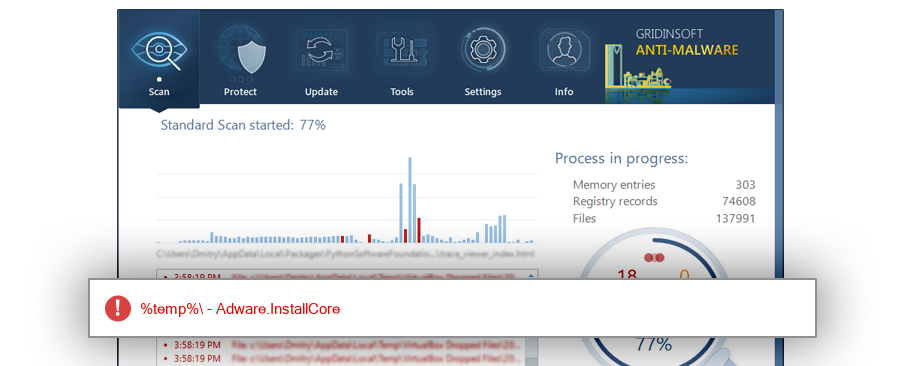
bitcomet_setup(1).exe detection screenshot

The screenshot is a visual record of a GridinSoft Anti-Malware detection for this sample. Use the hash and metadata above as the primary identifiers when comparing the file on your system.

Signed By: Xing Wang
Status: Valid

The signature on bitcomet_setup(1).exe is reported as valid. A valid signature helps confirm publisher identity, but it does not automatically make the file safe if the installer was bundled, abused, or downloaded from an untrusted source.

%temp%
%sysdrive%\docume~1\aca\locals~1
%sysdrive%\$recycle.bin
%sysdrive%
%profile%
%localappdata%\microsoft\windows\temporary internet files\content.ie5
%localappdata%\microsoft\windows\inetcache\ie
%sysdrive%\برامج
%desktop%
%sysdrive%\downloads

ThreatInfo has observed bitcomet_setup(1).exe in the locations listed above. Files found in temporary folders, user profile folders, startup locations, or unusual application directories should be reviewed more carefully than files installed under a known program directory.

BitB991.tmp.exe Bit315.tmp.exe BitD531.tmp.exe BitC180.tmp.exe Bit49AD.tmp.exe ICReinstall_Bit4C9C.tmp.exe Bit4C9C.tmp.exe BitC61B.tmp.exe $R6ILUPZ.exe Bit312D.tmp.exe BitE039.tmp.exe BitFE5D.tmp.exe Bit499D.tmp.exe BitF2F5.tmp.exe Bit2C1C.tmp.exe BitBE5B.tmp.exe bitcomet_setup.exe BitE02D.tmp.exe bitcomet_setup[1].exe BitE6D.tmp.exe BitE1B3.tmp.exe ICReinstall_BitD493.tmp.exe ICReinstall_Bit3A03.tmp.exe Bit3A03.tmp.exe BitFF9C.tmp.exe Bit8F18.tmp.exe Bit394.tmp.exe Bit7541.tmp.exe BitF070.tmp.exe Bit49CC.tmp.exe BitCB12.tmp.exe BitAF6.tmp.exe BitD6B8.tmp.exe BitC1E.tmp.exe Bit659D.tmp.exe BitFD8D.tmp.exe BitB4EE.tmp.exe Bit73B8.tmp.exe BitE067.tmp.exe BitD90F.tmp.exe 32BitComet_1.49_setup.exe BitBB1E.tmp.exe Bit8E26.tmp.exe BitD880.tmp.exe Bit414A.tmp.exe ICReinstall_bitcomet_setup.exe Bit5AD9.tmp.exe Bit7E0A.tmp.exe Bit1A14.tmp.exe ICReinstall_Bit2B84.tmp.exe Bit287.tmp.exe ICReinstall_BitD5C5.tmp.exe Bit3065.tmp.exe BitD5C5.tmp.exe ICReinstall_Bit4568.tmp.exe Bit1A4C.tmp.exe Bit2B84.tmp.exe Bit214A.tmp.exe BitA428.tmp.exe Bit5F8D.tmp.exe BitD70D.tmp.exe Bit3F5F.tmp.exe BitA1BF.tmp.exe Bit59CF.tmp.exe BitFCBD.tmp.exe Bit407.tmp.exe Bit1941.tmp.exe BitD6FC.tmp.exe Bit53FA.tmp.exe BitD9C2.tmp.exe Bit6B30.tmp.exe Bit1B9.tmp.exe Bit91E2.tmp.exe Bit65F8.tmp.exe BitF80A.tmp.exe Bit7346.tmp.exe BitAD9.tmp.exe BitD1CE.tmp.exe Bit823F.tmp.exe Bit869E.tmp.exe Bit473.tmp.exe Bit1C62.tmp.exe Bit5EB4.tmp.exe Bit366B.tmp.exe BitADB3.tmp.exe Bit8BCD.tmp.exe BitED0C.tmp.exe Bit26E4.tmp.exe Bit9A1A.tmp.exe Bit98AB.tmp.exe Bit8A07.tmp.exe Bit519F.tmp.exe BitEACB.tmp.exe Bit5503.tmp.exe Bit3B61.tmp.exe BitFE7C.tmp.exe Bit85B2.tmp.exe BitE61.tmp.exe Bit46D.tmp.exe $R0ZGV9R.exe Bit6F9C.tmp.exe Bit4335.tmp.exe Bit528D.tmp.exe Bit5464.tmp.exe Bit1CAA.tmp.exe BitE2D.tmp.exe Bit672B.tmp.exe BitDDA9.tmp.exe Bit8AA6.tmp.exe BitCDAE.tmp.exe Bit3239.tmp.exe Bit3747.tmp.exe BitD1F4.tmp.exe ICReinstall_BitE2D.tmp.exe ICReinstall_Bit5464.tmp.exe BitCD84.tmp.exe Bit44D9.tmp.exe Bit3248.tmp.exe Bit83FA.tmp.exe Bit33F6.tmp.exe Bit545D.tmp.exe BitF066.tmp.exe Bit8046.tmp.exe BitA561.tmp.exe bitcomet_setup (1).exe BitF71A.tmp.exe BitEAB3.tmp.exe BitAA46.tmp.exe Bit50CD.tmp.exe BitB559.tmp.exe BitD2.tmp.exe Bit9492.tmp.exe BitC627.tmp.exe Bit4413.tmp.exe BitCF15.tmp.exe Bit9D98.tmp.exe Bit198B.tmp.exe Bit7500.tmp.exe Bit83D9.tmp.exe Bit2FE6.tmp.exe Bit999A.tmp.exe Bit5C40.tmp.exe Bit5CEC.tmp.exe Bit980B.tmp.exe Bit827B.tmp.exe Bit4056.tmp.exe BitE002.tmp.exe Bit51B.tmp.exe Bit5EC5.tmp.exe Bit46F0.tmp.exe Bit904.tmp.exe ICReinstall_Bit35ED.tmp.exe ICReinstall_Bit1835.tmp.exe Bit1835.tmp.exe ICReinstall_BitBCB8.tmp.exe BitBCB8.tmp.exe Bit35ED.tmp.exe Bit620F.tmp.exe BitFD61.tmp.exe BitE06F.tmp.exe Bit415.tmp.exe Bit7C31.tmp.exe BitA7B.tmp.exe Bit1573.tmp.exe BitC28B.tmp.exe ICReinstall_BitF7C6.tmp.exe BitF7C6.tmp.exe BitACE1.tmp.exe BitD6C2.tmp.exe Bit7761.tmp.exe Bit3552.tmp.exe Bit562C.tmp.exe Bit4A99.tmp.exe Bit8D77.tmp.exe $RGH5NR7.exe Bit5A31.tmp.exe Bit2210.tmp.exe ICReinstall_BitB1F3.tmp.exe ICReinstall_BitE8B4.tmp.exe Bit933A.tmp.exe BitFBCB.tmp.exe ICReinstall_Bit4399.tmp.exe Bit1A4A.tmp.exe BitFBCF.tmp.exe BitE0D.tmp.exe BitBAAE.tmp.exe BitF30F.tmp.exe BitD222.tmp.exe Bit4D22.tmp.exe Bit2EEE.tmp.exe BitE84C.tmp.exe BitDD81.tmp.exe BitF178.tmp.exe bitcomet_setup[2].exe bitcomet_setup[4].exe Bit54B6.tmp.exe Bit199F.tmp.exe BitDE78.tmp.exe Bit1D1B.tmp.exe Bit7425.tmp.exe BitF556.tmp.exe Bit61F8.tmp.exe BitB80F.tmp.exe Bit2DD3.tmp.exe Bit231F.tmp.exe BitD1BF.tmp.exe ICReinstall_BitD1BF.tmp.exe ICReinstall_Bit380F.tmp.exe BitDCE.tmp.exe bitcomet_setup[3].exe Bit3C7.tmp.exe bitcomet_setup[6].exe BitD4D2.tmp.exe Bit98FB.tmp.exe Bit6A0F.tmp.exe bitcomet_setup[5].exe Bit7A82.tmp.exe Bit2E7F.tmp.exe Bit21C.tmp.exe Bit972C.tmp.exe Bit3FB6.tmp.exe Bit98E2.tmp.exe ICReinstall_Bit265A.tmp.exe Bit885B.tmp.exe Bit3DA4.tmp.exe BitEEF4.tmp.exe BitA9B8.tmp.exe Bit6D7C.tmp.exe BitE9EA.tmp.exe Bit265A.tmp.exe BitEEF3.tmp.exe BitB13C.tmp.exe BitAE13.tmp.exe Bit675A.tmp.exe Bit6F0A.tmp.exe BitD74B.tmp.exe Bit287B.tmp.exe Bit8641.tmp.exe Bit738D.tmp.exe Bit6566.tmp.exe BitBA1A.tmp.exe Bit56A.tmp.exe Bit5AD.tmp.exe BitD460.tmp.exe Bit9DC0.tmp.exe BitD603.tmp.exe Bit18F8.tmp.exe Bit5E74.tmp.exe BitE63A.tmp.exe BitDE0E.tmp.exe BitDC0F.tmp.exe BitD4BC.tmp.exe Bit9230.tmp.exe Bit57C.tmp.exe BitFA66.tmp.exe Bit99F2.tmp.exe BitBF59.tmp.exe BitD818.tmp.exe Bit2DFA.tmp.exe BitECB5.tmp.exe Bit3ECE.tmp.exe Bit627.tmp.exe Bit79A0.tmp.exe Bit568C.tmp.exe Bit60C.tmp.exe Bit63E9.tmp.exe BitF189.tmp.exe ICReinstall_Bit3475.tmp.exe BitC10D.tmp.exe Bit54A4.tmp.exe Bit937B.tmp.exe Bit63B.tmp.exe Bit880.tmp.exe ICReinstall_Bit54A4.tmp.exe BitB03B.tmp.exe BitF067.tmp.exe ICReinstall_BitC10D.tmp.exe Bit88CF.tmp.exe Bit8D7.tmp.exe Bit32DB.tmp.exe Bit49CF.tmp.exe BitFEC5.tmp.exe Bit3475.tmp.exe Bit2CEE.tmp.exe Bit1482.tmp.exe BitE0B8.tmp.exe Bit56E1.tmp.exe Bit62B9.tmp.exe Bit9FA8.tmp.exe BitD345.tmp.exe Bit972F.tmp.exe BitC003.tmp.exe Bit9BD1.tmp.exe BitBB.tmp.exe ICReinstall_BitBB.tmp.exe BitADAC.tmp.exe BitB52B.tmp.exe Bit843C.tmp.exe BitAAEE.tmp.exe BitA506.tmp.exe Bit712A.tmp.exe Bit6362.tmp.exe BitA3BA.tmp.exe BitFAEE.tmp.exe Bit9A27.tmp.exe Bit902B.tmp.exe Bit4F.tmp.exe Bit3613.tmp.exe BitD01C.tmp.exe Bit1395.tmp.exe Bit479.tmp.exe Bit4AC6.tmp.exe Bit8338.tmp.exe Bit962.tmp.exe BitDBE1.tmp.exe Bit4273.tmp.exe Bit4743.tmp.exe BitB280.tmp.exe Bit5DF7.tmp.exe Bit1C2.tmp.exe BitEED4.tmp.exe Bit390D.tmp.exe Bit80AF.tmp.exe ICReinstall_Bit390D.tmp.exe Bit38BB.tmp.exe Bit510E.tmp.exe BitFB8E.tmp.exe Bit9369.tmp.exe BitE541.tmp.exe Bit3AC3.tmp.exe Bit440.tmp.exe BitD078.tmp.exe BitD55C.tmp.exe Bit3FE8.tmp.exe Bit8F0E.tmp.exe BitD074.tmp.exe BitA411.tmp.exe Bit511C.tmp.exe Bit3D58.tmp.exe BitFE0F.tmp.exe Bit8607.tmp.exe bitcomet_setup (2018_08_29 15_16_48 UTC).exe BitE252.tmp.exe Bit5E97.tmp.exe Bit48F2.tmp.exe BitB47F.tmp.exe BitAAA5.tmp.exe Bit781B.tmp.exe BitB846.tmp.exe ICReinstall_BitC706.tmp.exe Bit7304.tmp.exe BitE732.tmp.exe Bit12D4.tmp.exe Bit2DED.tmp.exe Bit2107.tmp.exe Bit2C3D.tmp.exe BitA028.tmp.exe bitcomet_setup(1).exe Bit4495.tmp.exe BitD918.tmp.exe BitBCFE.tmp.exe Bit4B92.tmp.exe BitF788.tmp.exe Bit6B42.tmp.exe BitA832.tmp.exe BitEBE4.tmp.exe Bit5303.tmp.exe ICReinstall_Bit7472.tmp.exe Bit3311.tmp.exe Bit7472.tmp.exe Bit2912.tmp.exe Bit24A1.tmp.exe BitAE4C.tmp.exe Bit47EA.tmp.exe BitBCC6.tmp.exe Bit1276.tmp.exe BitB573.tmp.exe Bit87AB.tmp.exe Bit1C3A.tmp.exe Bit698D.tmp.exe Bit24FD.tmp.exe BitEE9.tmp.exe BitA78A.tmp.exe BitA25.tmp.exe Bit52F9.tmp.exe BitFDE2.tmp.exe Bit917A.tmp.exe BitF140.tmp.exe Bit756D.tmp.exe Bit20.tmp.exe Bit540C.tmp.exe BitD28E.tmp.exe Bit5DFA.tmp.exe Bit750.tmp.exe BitECFF.tmp.exe Bit6872.tmp.exe Bit6ED9.tmp.exe Bit5A30.tmp.exe Bit3458.tmp.exe Bit56D6.tmp.exe Bit70DE.tmp.exe Bit965.tmp.exe Bit8CD4.tmp.exe BitEBF.tmp.exe Bit5669.tmp.exe BitA583.tmp.exe Bit3062.tmp.exe Bit85DA.tmp.exe Bit7FFE.tmp.exe BitDB9E.tmp.exe Bit2F69.tmp.exe BitE7C1.tmp.exe Bit389.tmp.exe Bit7658.tmp.exe Bit9E70.tmp.exe Bit999F.tmp.exe BitFEA9.tmp.exe BitF881.tmp.exe BitFB8D.tmp.exe BitFD52.tmp.exe Bit4F65.tmp.exe Bit71AE.tmp.exe Bit79D5.tmp.exe Bit58C9.tmp.exe BitCE08.tmp.exe BitB3E7.tmp.exe Bit96F9.tmp.exe BitA588.tmp.exe BitAB36.tmp.exe Bit798F.tmp.exe Bit4402.tmp.exe Bit48B2.tmp.exe BitD846.tmp.exe ICReinstall_BitD846.tmp.exe BitE58D.tmp.exe Bit86A5.tmp.exe Bit4711.tmp.exe ICReinstall_Bit9661.tmp.exe ICReinstall_Bit7B78.tmp.exe Bit7B78.tmp.exe BitD16A.tmp.exe Bit9661.tmp.exe BitA5EB.tmp.exe ICReinstall_Bit4711.tmp.exe ICReinstall_BitC2AE.tmp.exe ICReinstall_Bit1E78.tmp.exe Bit1E78.tmp.exe BitDC0C.tmp.exe

This hash has been seen with multiple file names. Alternate names can appear when software is updated, copied between folders, packed by an installer, or deliberately renamed to avoid recognition. Compare the exact MD5 above before assuming two names refer to the same file.

Windows 7 67.2%
Windows 10 20.4%
Windows 8.1 5.1%
Windows Server 2003 3.5%
Windows 8 2.4%
Windows XP 0.9%
Windows Vista 0.5%

The most common operating system signal for bitcomet_setup(1).exe is Windows 7 with 67.2% of observed hits. If your system differs from the common profile, check whether the file was introduced by a specific installer, archive, or removable device.

bitcomet_setup(1).exe is identified as pe for 32-bit systems. The subsystem is Windows GUI. PE header values are useful for triage, especially when they do not match the expected publisher, product, or release timeline.

Format pe
Architecture 32-bit
Subsystem Windows GUI
Entry point 0x0000a5f8
Image base 0x00400000

PE Sections:

Sections 8
Raw data 231424

Section layout highlights raw-size concentration, repeated names, packer markers, and hashes that can be compared across related samples.

CODE 40448 bytes · 17.5% of section data
MD5 b86d762ad51ad442273a73348b24bdbf
DATA 1024 bytes · 0.4% of section data
MD5 1ee71d84f1c77af85f1f5c278f880572
BSS 0 bytes · 0.0% of section data
MD5 00000000000000000000000000000000
.idata 2560 bytes · 1.1% of section data
MD5 bb5485bf968b970e5ea81292af2acdba
.tls 0 bytes · 0.0% of section data
MD5 00000000000000000000000000000000
.rdata 512 bytes · 0.2% of section data
MD5 9ba824905bf9c7922b6fc87a38b74366
.reloc 0 bytes · 0.0% of section data
MD5 00000000000000000000000000000000
.rsrc 186880 bytes · 80.8% of section data
MD5 68c851dc0463545c613b0cbd96817f35

PE section names and hashes can reveal packing, injected resources, or unusual build artifacts. Sections with uncommon names, very large raw data, or hashes that differ from a trusted copy deserve additional review.

Report conclusion

GridinSoft detects this file as Adware.InstallCore

This report identifies bitcomet_setup(1).exe by MD5 7ac5d0a7907d2cf68841574f21ce9080. It is part of the Adware report group. If the same file is present on your device, scan the system and remove the detected object after confirming the hash and location.
Download GridinSoft Anti-Malware Scan the device and confirm whether this exact hash is present. Check this hash on VirusTotal

Recommended next steps

  • Compare the local file MD5 with 7ac5d0a7907d2cf68841574f21ce9080.
  • Check the file path, publisher, and signature against the details in this report.
  • Run a GridinSoft scan and remove the object if the same hash is found. Use the Adware category to compare similar reports.