GridinSoft Threat Intelligence
WinSnare64.dll threat report
GridinSoft Anti-Malware detection
Detected by GridinSoft before you download
The current ThreatInfo record shows this exact file hash detected as Trojan.Agent. Download GridinSoft Anti-Malware to scan the device, confirm whether this file is present, and remove the detected object if it is found.
- Detection name
- Trojan.Agent
- Recommended action
- Scan and remove
- Last analysis
- 2023-07-26 23:20:57 (2 years ago)
- File hash
- 7a96e91b72aa8b5b10234aadc1ecd986
Why it matters
Why GridinSoft flags this file
GridinSoft identifies the sample as Trojan.Agent.
First seen 2017-05-21 15:01:55 (8 years ago); latest analysis 2023-07-26 23:20:57 (2 years ago).
Company metadata: InterSect Alliance Pty Ltd. Product metadata: SNARER Service.
This hash has appeared under multiple file names, which can happen with repackaging, bundling, or deliberate renaming.
ThreatInfo has seen this file in user or system paths listed below. Unexpected locations increase the need for local verification.
Recommended action
What to do next
- Compare the MD5 above with the file found on the device.
- Check whether the file appears in the observed locations or under one of the alternate names.
- Run GridinSoft Anti-Malware to confirm the detection and remove the file if it is present.
File context
WinSnare64.dll is a Windows file recorded in the ThreatInfo database. It is associated with SNARER Service. The reported company name is InterSect Alliance Pty Ltd. The current detection status is Trojan.Agent, based on the latest analysis from 2023-07-26 23:20:57 (2 years ago).
If WinSnare64.dll appears on your computer unexpectedly, treat it as suspicious. Check its location, digital signature, and recent system changes before allowing it to run. A full anti-malware scan is recommended when this file is detected as Trojan.Agent.
File Details
| Product Name: | SNARER Service |
| Company Name: | InterSect Alliance Pty Ltd |
| MD5: | 7a96e91b72aa8b5b10234aadc1ecd986 |
| Size: | 1 MB |
| First Published: | 2017-05-21 15:01:55 (8 years ago) |
| Latest Published: | 2023-07-26 23:20:57 (2 years ago) |
| Status: | Trojan.Agent (on last analysis) | |
| Analysis Date: | 2023-07-26 23:20:57 (2 years ago) |
Detection screenshot
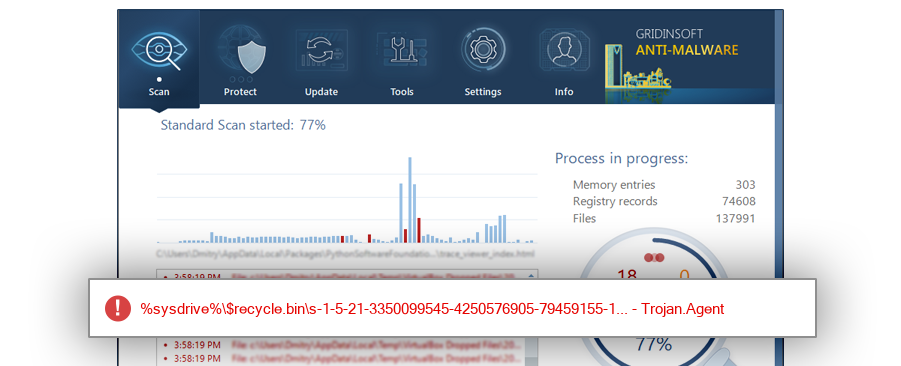
The screenshot is a visual record of a GridinSoft Anti-Malware detection for this sample. Use the hash and metadata above as the primary identifiers when comparing the file on your system.
Common Places:
| %appdata%\winsnare |
| %programfiles%\winsnare(4.4.6) |
| %temp%\1 |
| %sysdrive%\windows.old\users\admin\appdata\roaming\winsnare |
| %sysdrive%\adwcleaner\quarantine\files\wkfwibssxjrjsfdaieyveqdujfoxeqdy |
| %appdata% |
| %programfiles% |
| %sysdrive%\adwcleaner\quarantine\files |
| %temp% |
| %system%\config\systemprofile\appdata\roaming |
ThreatInfo has observed WinSnare64.dll in the locations listed above. Files found in temporary folders, user profile folders, startup locations, or unusual application directories should be reviewed more carefully than files installed under a known program directory.
File Names:
2 observed namesThis hash has been seen with multiple file names. Alternate names can appear when software is updated, copied between folders, packed by an installer, or deliberately renamed to avoid recognition. Compare the exact MD5 above before assuming two names refer to the same file.
Geographic signal
Observed country distribution
ThreatInfo has seen WinSnare64.dll across 29 countries. Use this signal to compare local evidence with where the sample is most often reported.
The strongest geographic signal for this file is Vietnam with 24.3% of observed hits. Geographic distribution can help identify targeted campaigns, regional software bundles, or where a file is most commonly reported.
OS Version:
The most common operating system signal for WinSnare64.dll is Windows 7 with 60.0% of observed hits. If your system differs from the common profile, check whether the file was introduced by a specific installer, archive, or removable device.
Analysis
WinSnare64.dll is identified as pe for 64-bit systems. The subsystem is Windows CUI. PE header values are useful for triage, especially when they do not match the expected publisher, product, or release timeline.
PE Sections:
Section layout highlights raw-size concentration, repeated names, packer markers, and hashes that can be compared across related samples.
ed4735d84d5434fba82ceac3af8ed110
f779cbfe2fe9e50aa68d9383a1d6db71
21614e6b0fd9de9d9965ee21d33d9d78
3c21f873d7c31857616a633cfc5356ad
69663b0e6a9c891ba3987e32b1502d20
84a6a3deb41df8b70fe5e33280b6c191
PE section names and hashes can reveal packing, injected resources, or unusual build artifacts. Sections with uncommon names, very large raw data, or hashes that differ from a trusted copy deserve additional review.
Report conclusion
GridinSoft detects this file as Trojan.Agent
This report identifies WinSnare64.dll by MD5 7a96e91b72aa8b5b10234aadc1ecd986. If the same file is present on your device, scan the system and remove the detected object after confirming the hash and location.