GridinSoft Threat Intelligence
StormWatchApp.exe threat report
GridinSoft Anti-Malware detection
Detected by GridinSoft before you download
The current ThreatInfo record shows this exact file hash detected as Adware.Strongvault. Download GridinSoft Anti-Malware to scan the device, confirm whether this file is present, and remove the detected object if it is found.
- Detection name
- Adware.Strongvault
- Recommended action
- Scan and remove
- Last analysis
- 2021-07-01 20:05:18 (4 years ago)
- File hash
- 7a552a82a5ec6d2b53a7930ee9764ca8
Why it matters
Why GridinSoft flags this file
GridinSoft identifies the sample as Adware.Strongvault, part of the Adware threat category.
Programs that inject advertising, change browser behavior, or monetize traffic through bundled components. Related Adware reports help compare this file with nearby detections, publishers, and hashes.
First seen 2021-07-01 20:05:18 (4 years ago); latest analysis 2021-07-01 20:05:18 (4 years ago).
Signed by Local Weather LLC. The signature is reported as valid, but signed files can still be bundled or abused.
ThreatInfo has seen this file in user or system paths listed below. Unexpected locations increase the need for local verification.
Recommended action
What to do next
- Compare the MD5 above with the file found on the device.
- Check whether the file appears in the observed locations or under one of the alternate names.
- Run GridinSoft Anti-Malware to confirm the detection and remove the file if it is present. Review the Adware category for related samples and common context.
File context
StormWatchApp.exe is a Windows file recorded in the ThreatInfo database. The current detection status is Adware.Strongvault, based on the latest analysis from 2021-07-01 20:05:18 (4 years ago). ThreatInfo groups this verdict with Adware reports for broader family-level investigation.
If StormWatchApp.exe appears on your computer unexpectedly, treat it as suspicious. Check its location, digital signature, and recent system changes before allowing it to run. A full anti-malware scan is recommended when this file is detected as Adware.Strongvault.
File Details
| MD5: | 7a552a82a5ec6d2b53a7930ee9764ca8 |
| Size: | 1 MB |
| First Published: | 2021-07-01 20:05:18 (4 years ago) |
| Latest Published: | 2021-07-01 20:05:18 (4 years ago) |
| Status: | Adware.Strongvault (on last analysis) | |
| Analysis Date: | 2021-07-01 20:05:18 (4 years ago) |
Detection screenshot
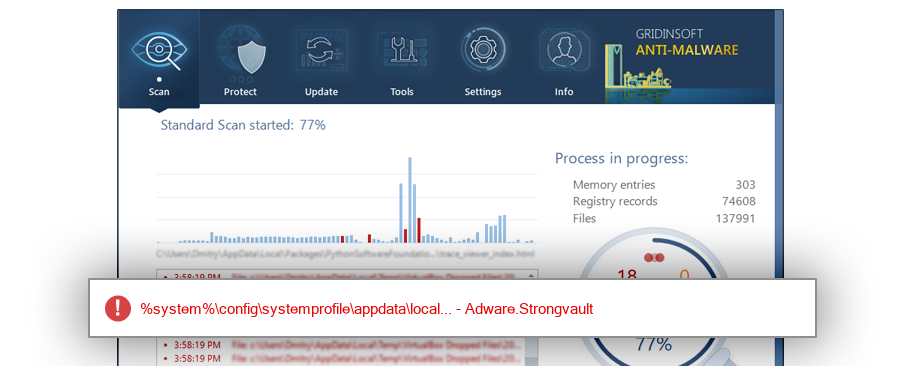
The screenshot is a visual record of a GridinSoft Anti-Malware detection for this sample. Use the hash and metadata above as the primary identifiers when comparing the file on your system.
Overview
| Signed By: | Local Weather LLC |
| Status: | Valid |
The signature on StormWatchApp.exe is reported as valid. A valid signature helps confirm publisher identity, but it does not automatically make the file safe if the installer was bundled, abused, or downloaded from an untrusted source.
Common Places:
| %system%\config\systemprofile\appdata\local |
ThreatInfo has observed StormWatchApp.exe in the locations listed above. Files found in temporary folders, user profile folders, startup locations, or unusual application directories should be reviewed more carefully than files installed under a known program directory.
Geographic signal
Observed country distribution
ThreatInfo has seen StormWatchApp.exe across 1 countries. Use this signal to compare local evidence with where the sample is most often reported.
The strongest geographic signal for this file is Canada with 100.0% of observed hits. Geographic distribution can help identify targeted campaigns, regional software bundles, or where a file is most commonly reported.
OS Version:
The most common operating system signal for StormWatchApp.exe is Windows 7 with 100.0% of observed hits. If your system differs from the common profile, check whether the file was introduced by a specific installer, archive, or removable device.
Analysis
StormWatchApp.exe is identified as pe for 32-bit systems. The subsystem is Windows GUI. PE header values are useful for triage, especially when they do not match the expected publisher, product, or release timeline.
PE Sections:
Section layout highlights raw-size concentration, repeated names, packer markers, and hashes that can be compared across related samples.
c6b8d50950527f0b40de55e9b955d7ab
652e4e656ac63d5cdbb712123b796978
e05d1476c6aceb157d1cd80e542efb5b
f95a9c17857bac35720ecc29bb065a59
b3cd23fad8fdc92eb1096df82d1490fa
PE section names and hashes can reveal packing, injected resources, or unusual build artifacts. Sections with uncommon names, very large raw data, or hashes that differ from a trusted copy deserve additional review.
Report conclusion
GridinSoft detects this file as Adware.Strongvault
This report identifies StormWatchApp.exe by MD5 7a552a82a5ec6d2b53a7930ee9764ca8. It is part of the Adware report group. If the same file is present on your device, scan the system and remove the detected object after confirming the hash and location.