GridinSoft Threat Intelligence
Netwtw04.sys threat report
GridinSoft Anti-Malware detection
Detected by GridinSoft before you download
The current ThreatInfo record shows this exact file hash detected as Trojan.Generic. Download GridinSoft Anti-Malware to scan the device, confirm whether this file is present, and remove the detected object if it is found.
- Detection name
- Trojan.Generic
- Recommended action
- Scan and remove
- Last analysis
- 2025-01-05 23:01:28 (a year ago)
- File hash
- 3fdab5295f1daa552f560fb9b2b38940
Why it matters
Why GridinSoft flags this file
GridinSoft identifies the sample as Trojan.Generic, part of the Trojan threat category.
Malware disguised as legitimate software or delivered through deceptive packaging. Related Trojan reports help compare this file with nearby detections, publishers, and hashes.
First seen 2025-01-05 23:01:28 (a year ago); latest analysis 2025-01-05 23:01:28 (a year ago).
Company metadata: Intel Corporation. Product metadata: Intel® Wireless WiFi Link Adapter.
Signed by Intel Corporation;Microsoft Windows Hardware Compatibility Publisher. The signature is not reported as trusted and valid, which can indicate tampering, repackaging, or copied publisher data.
ThreatInfo has seen this file in user or system paths listed below. Unexpected locations increase the need for local verification.
Recommended action
What to do next
- Compare the MD5 above with the file found on the device.
- Check whether the file appears in the observed locations or under one of the alternate names.
- Run GridinSoft Anti-Malware to confirm the detection and remove the file if it is present. Review the Trojan category for related samples and common context.
File context
Netwtw04.sys is a Windows file recorded in the ThreatInfo database. It is associated with Intel® Wireless WiFi Link Adapter. The reported company name is Intel Corporation. The current detection status is Trojan.Generic, based on the latest analysis from 2025-01-05 23:01:28 (a year ago). ThreatInfo groups this verdict with Trojan reports for broader family-level investigation.
If Netwtw04.sys appears on your computer unexpectedly, treat it as suspicious. Check its location, digital signature, and recent system changes before allowing it to run. A full anti-malware scan is recommended when this file is detected as Trojan.Generic.
File Details
| Product Name: | Intel® Wireless WiFi Link Adapter |
| Company Name: | Intel Corporation |
| MD5: | 3fdab5295f1daa552f560fb9b2b38940 |
| Size: | 8 MB |
| First Published: | 2025-01-05 23:01:28 (a year ago) |
| Latest Published: | 2025-01-05 23:01:28 (a year ago) |
| Status: | Trojan.Generic (on last analysis) | |
| Analysis Date: | 2025-01-05 23:01:28 (a year ago) |
Detection screenshot
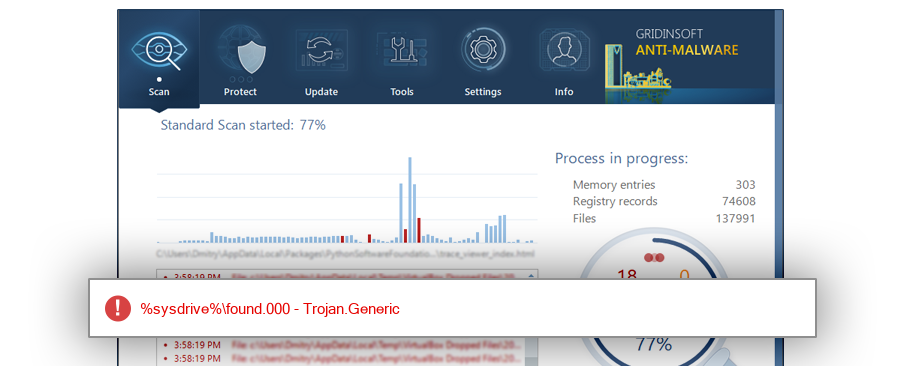
The screenshot is a visual record of a GridinSoft Anti-Malware detection for this sample. Use the hash and metadata above as the primary identifiers when comparing the file on your system.
Overview
| Signed By: | Intel Corporation;Microsoft Windows Hardware Compatibility Publisher |
| Status: | Invalid (digital signature could be stolen or file could be patched) |
The signature on Netwtw04.sys is not reported as trusted and valid. Invalid or suspicious signature data can indicate tampering, repackaging, or an unrelated file using copied publisher information.
Common Places:
| %sysdrive%\found.000 |
ThreatInfo has observed Netwtw04.sys in the locations listed above. Files found in temporary folders, user profile folders, startup locations, or unusual application directories should be reviewed more carefully than files installed under a known program directory.
Geographic signal
Observed country distribution
ThreatInfo has seen Netwtw04.sys across 1 countries. Use this signal to compare local evidence with where the sample is most often reported.
The strongest geographic signal for this file is Indonesia with 100.0% of observed hits. Geographic distribution can help identify targeted campaigns, regional software bundles, or where a file is most commonly reported.
OS Version:
The most common operating system signal for Netwtw04.sys is Windows 10 with 100.0% of observed hits. If your system differs from the common profile, check whether the file was introduced by a specific installer, archive, or removable device.
Analysis
Netwtw04.sys is identified as pe for 64-bit systems. The subsystem is Native. PE header values are useful for triage, especially when they do not match the expected publisher, product, or release timeline.
PE Sections:
Section layout highlights raw-size concentration, repeated names, packer markers, and hashes that can be compared across related samples.
2f19d8a5e79549539e478a6d64d50c4c
aedd3a5e72b0b6681731a20af78ab2a7
fc5afff9a83b463ff208dec35ee7d28a
af92b40c8fdcc24751465514967ad5c8
9930e85fa0fe19dced158af87147f0c7
78f74ea86479f535994c2ebcad59fae7
118bfe14650e1cac937d4df722314c19
748fcc6543a001cd253ae6950d2bda4e
ced57848f3c8656ca3e12d8524004128
3d9ce7673cd06fda19a3f3a4fda321fe
3b29a40413abbf080b07d39b402a9224
fc6075c4102b5ad743b178825741fd23
f098076e0b8495632a84326946d38512
f4436579622abf9b2e22601f1db0f2d2
7c3738f5e4bebb466a24ef3ac7a2da73
b2b530c26a29c22a0f004a65c386f639
8b48457eb14cabf4dcdacc5c59a7119a
3dad592b368a6baccc7fb0050bea3e3d
ccf467d6b081caf6f17a4eff1b56aa81
91c08e6da1c62bbf7acdac57af18967d
b01004c192181bacc70a0f7708eaa13f
ecca0d8716c83c8300718003a175534c
2c0d0d7117833dffa577b4e580c2f322
6dc12a897f65c4de93e2339b8ac43024
7fb656f5f4a1b4ffa56d259b7c18bb26
b853dccb575b8dc06ade7d69f3698c68
cf83c8f7d2aa1716ea37108a7a64f3f4
dddcc03e2b592ffd37f7ac3ccb835596
187a62a678364da3a50f1316375d7d85
b2d1236c286a3c0704224fe4105eca49
08c9b710924d5363fb98db1499644868
2be1b3244a91eddf67bdc12f0dc6ef45
2cad85db7591613639d45187869b18fc
PE section names and hashes can reveal packing, injected resources, or unusual build artifacts. Sections with uncommon names, very large raw data, or hashes that differ from a trusted copy deserve additional review.
Report conclusion
GridinSoft detects this file as Trojan.Generic
This report identifies Netwtw04.sys by MD5 3fdab5295f1daa552f560fb9b2b38940. It is part of the Trojan report group. If the same file is present on your device, scan the system and remove the detected object after confirming the hash and location.